
Planning and progress
Every job with a date that holds.
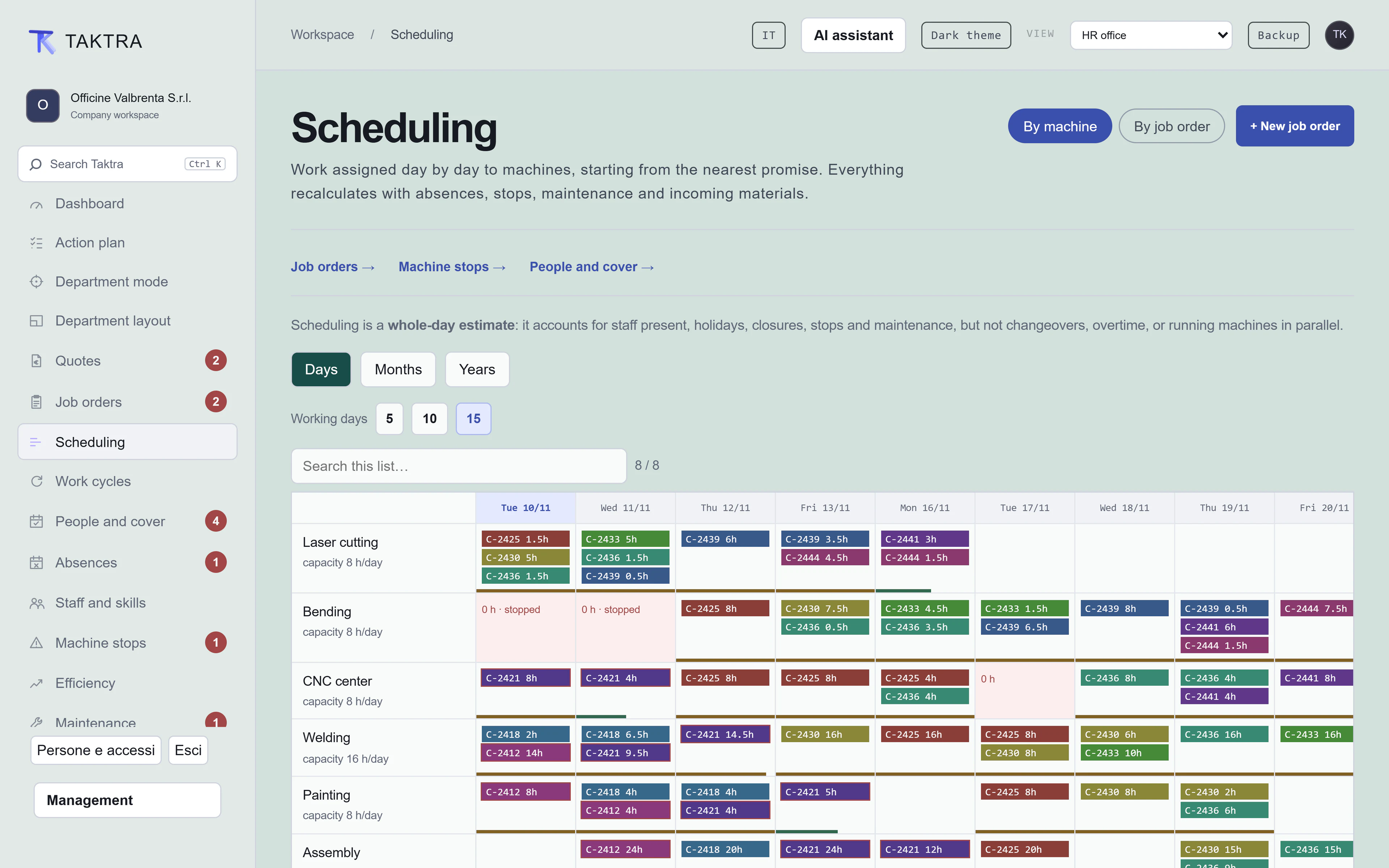
Taktra starts from the promise made to the customer and assigns operations day by day. The expected date comes from today’s real capacity, and changes when reality does.
How it works
Three rules, always the same.
Nearest promise first
Operations are assigned to machines starting from the nearest promised delivery.
On real capacity
Machines, people present, public holidays, closures, stoppages, maintenance and incoming materials all enter the calculation.
It recalculates itself
Record an absence or a stoppage once: expected dates update accordingly.
Sector by sector
The same plan, four shapes.
In a workshop it is a job order, in a food lab a batch, in a restaurant an evening, in a store a day.
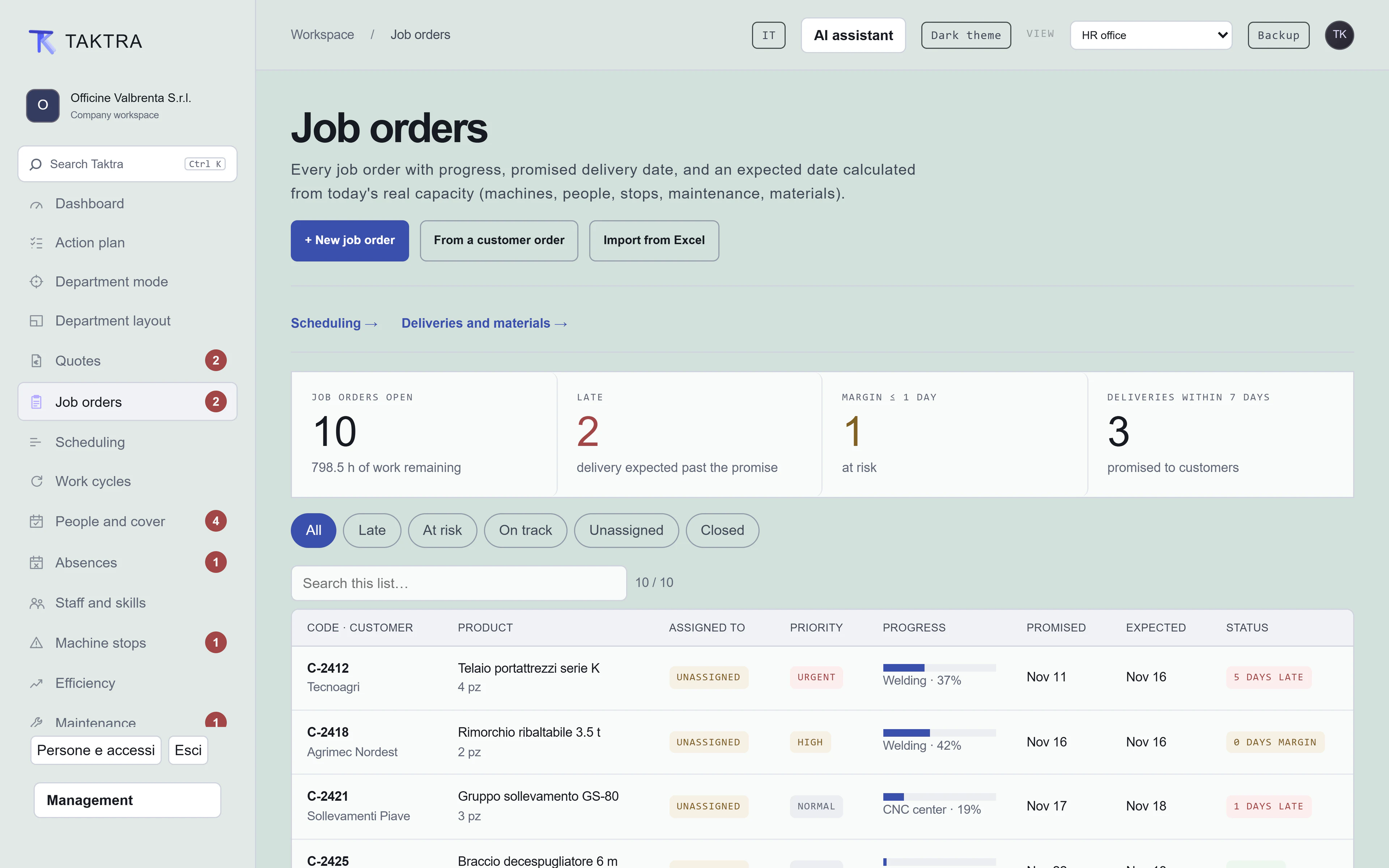
Quotes, job orders, scheduling.
The quote gives the date to promise before the customer says yes. Every job has progress, a promise and an expected date; scheduling shows the load by machine or by job.
- Filters: late, at risk, on track, unassigned
- The customer’s order, as PDF, photo or email, read by AI and set up as a job
- Excel import, messy sheets included
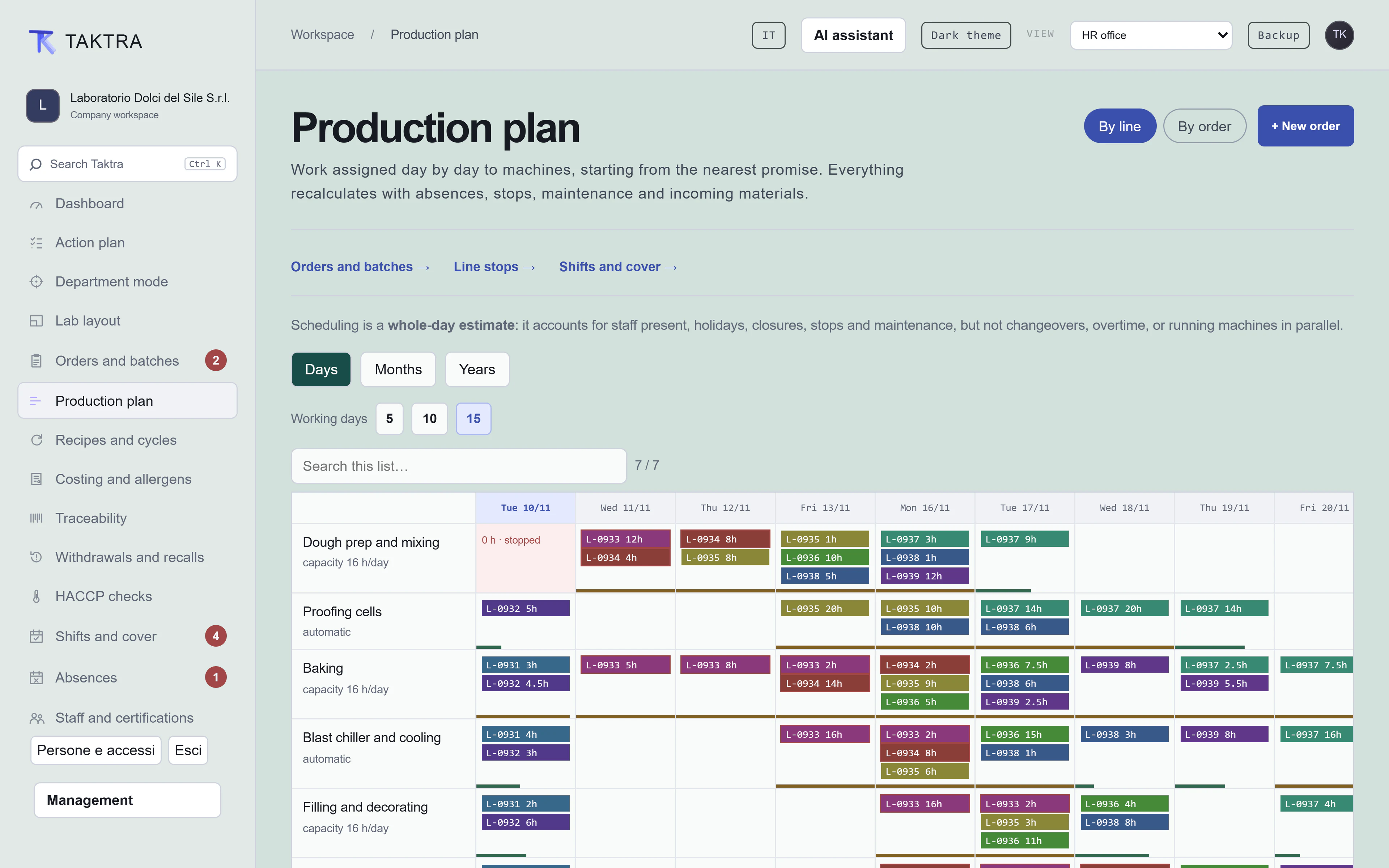
Orders and batches, plan, recipes.
Every batch is a production order with its own promise. The plan reads by line or by order; recipes define stages and hours per batch.
- Batches with their quantity, such as “croissants, batch of 240”
- View by line or by order
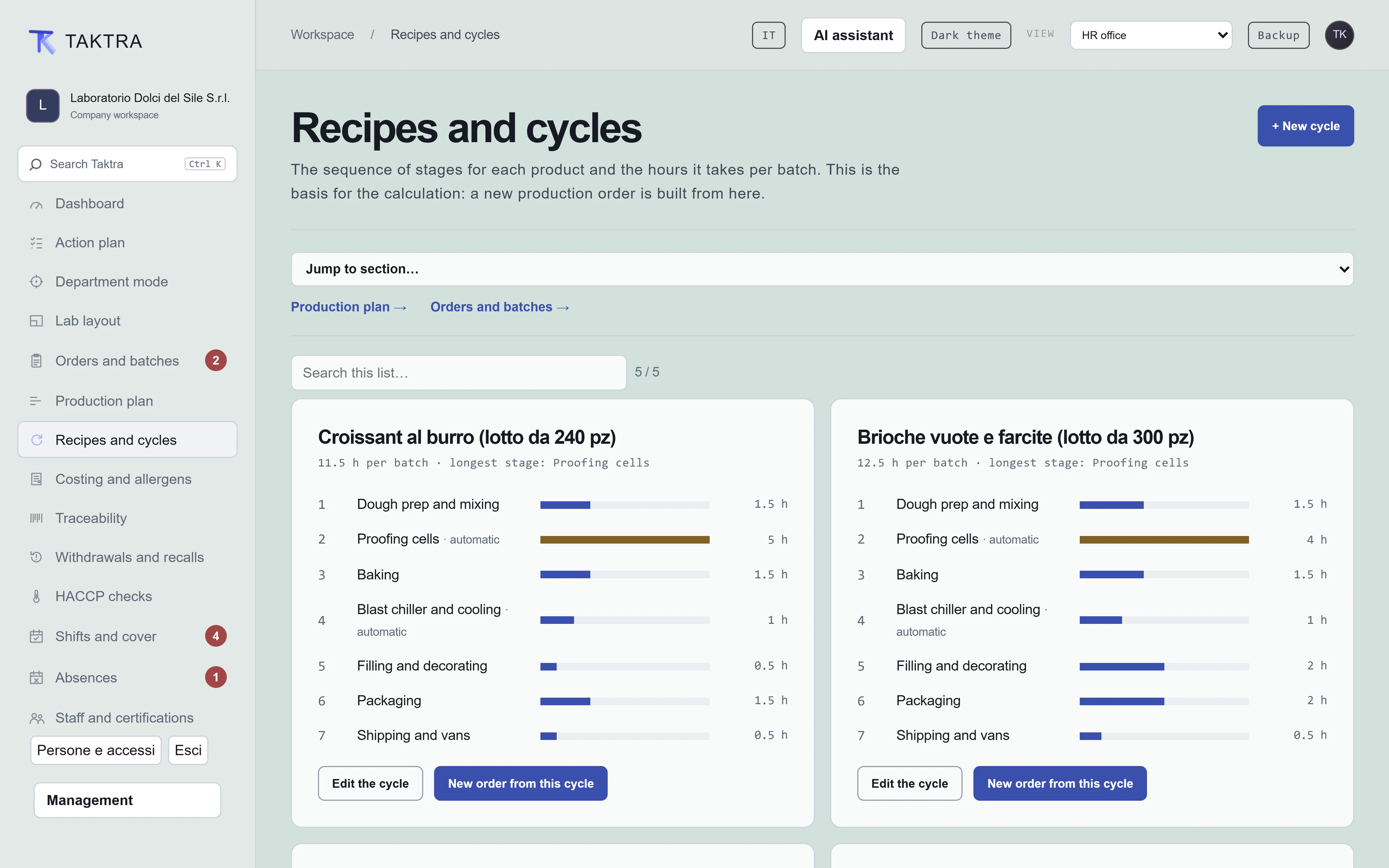
- For every recipe, the longest stage highlighted
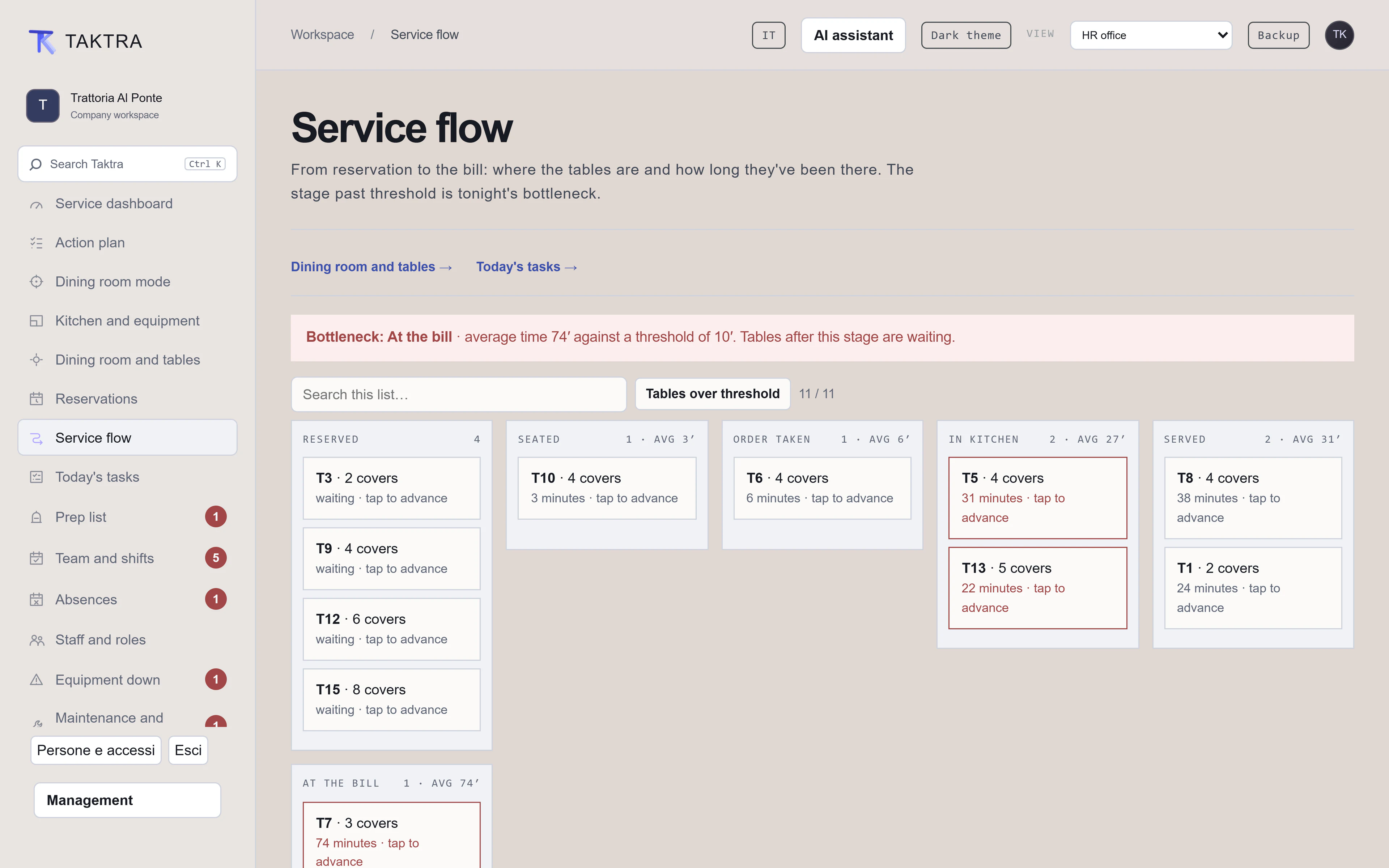
Reservations, flow, tasks.
Here the plan is the evening: covers per sitting against capacity, tables moving through stages, tasks with an owner.
- Lunch and dinner with covers against capacity
- The stage over threshold is the bottleneck
- Tasks for today, tomorrow and still to assign
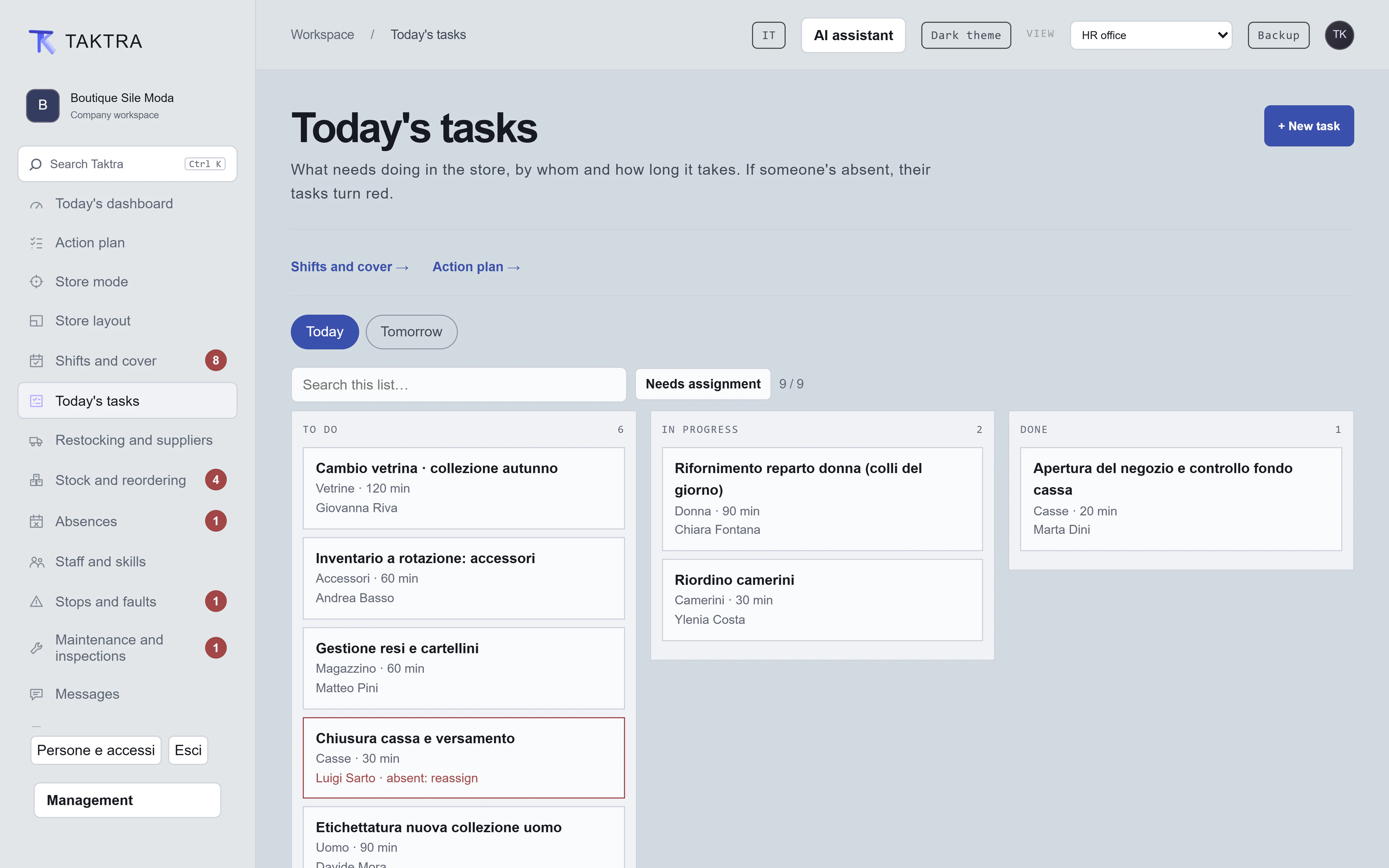
The day’s tasks.
In a store the plan is the day: what has to be done, by whom and how long it takes, with what is left without an owner.
- Today, tomorrow and to assign
- Area and expected duration for each task
- Tasks of absent people turn red
Up close
From the promise to the single day.
Promise and expected date, side by side.
When they differ you see it at once. “Late” is a delivery expected after its promise; “at risk” is a margin of a day or less.
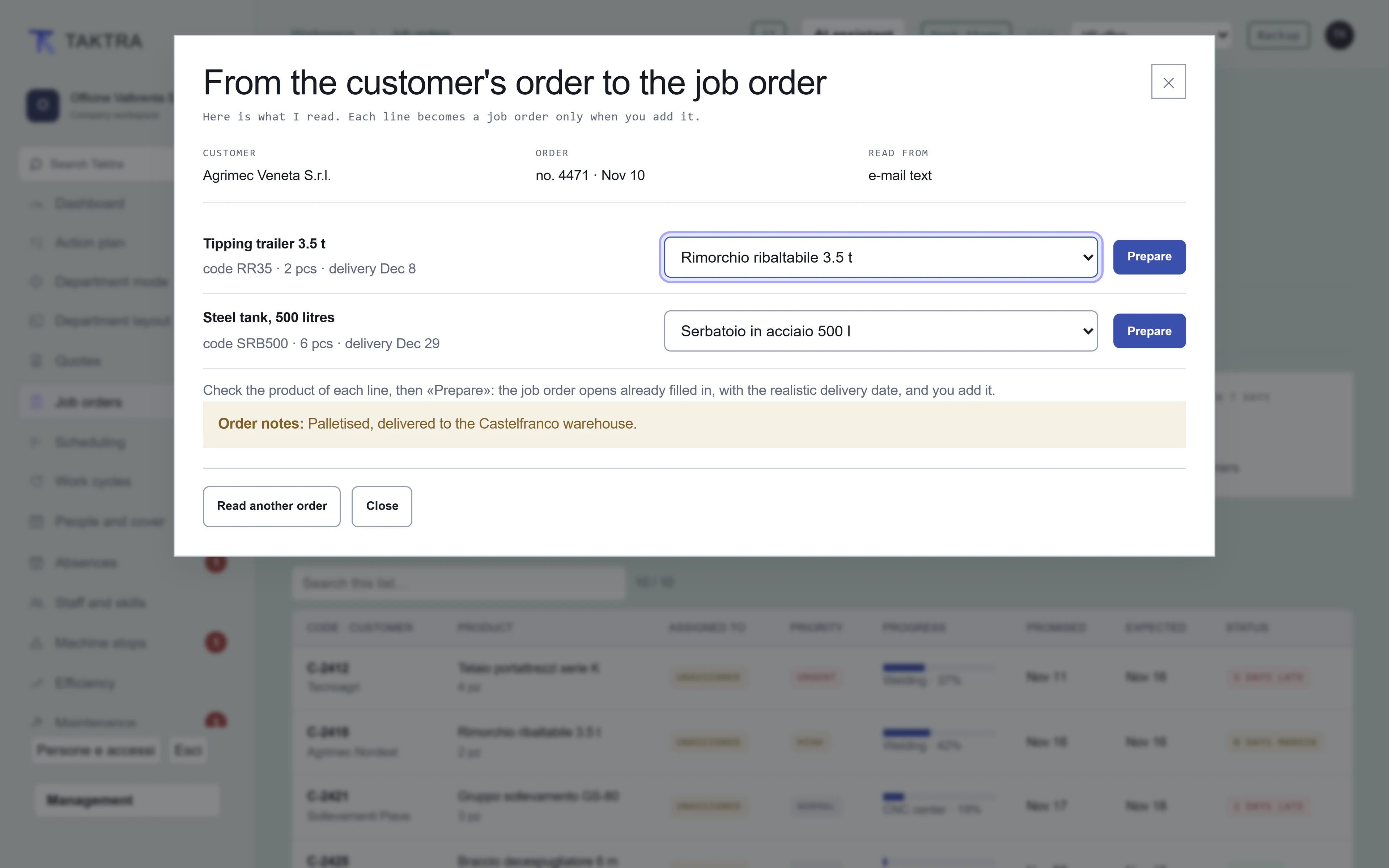
From the customer’s order to the job.
Upload the PDF or a photo of the order, or paste the email text. The AI reads customer, lines, quantities and dates and matches each line to a product; “Prepare” opens the job already filled in, with a realistic delivery date, and you add it. The original file stays attached.
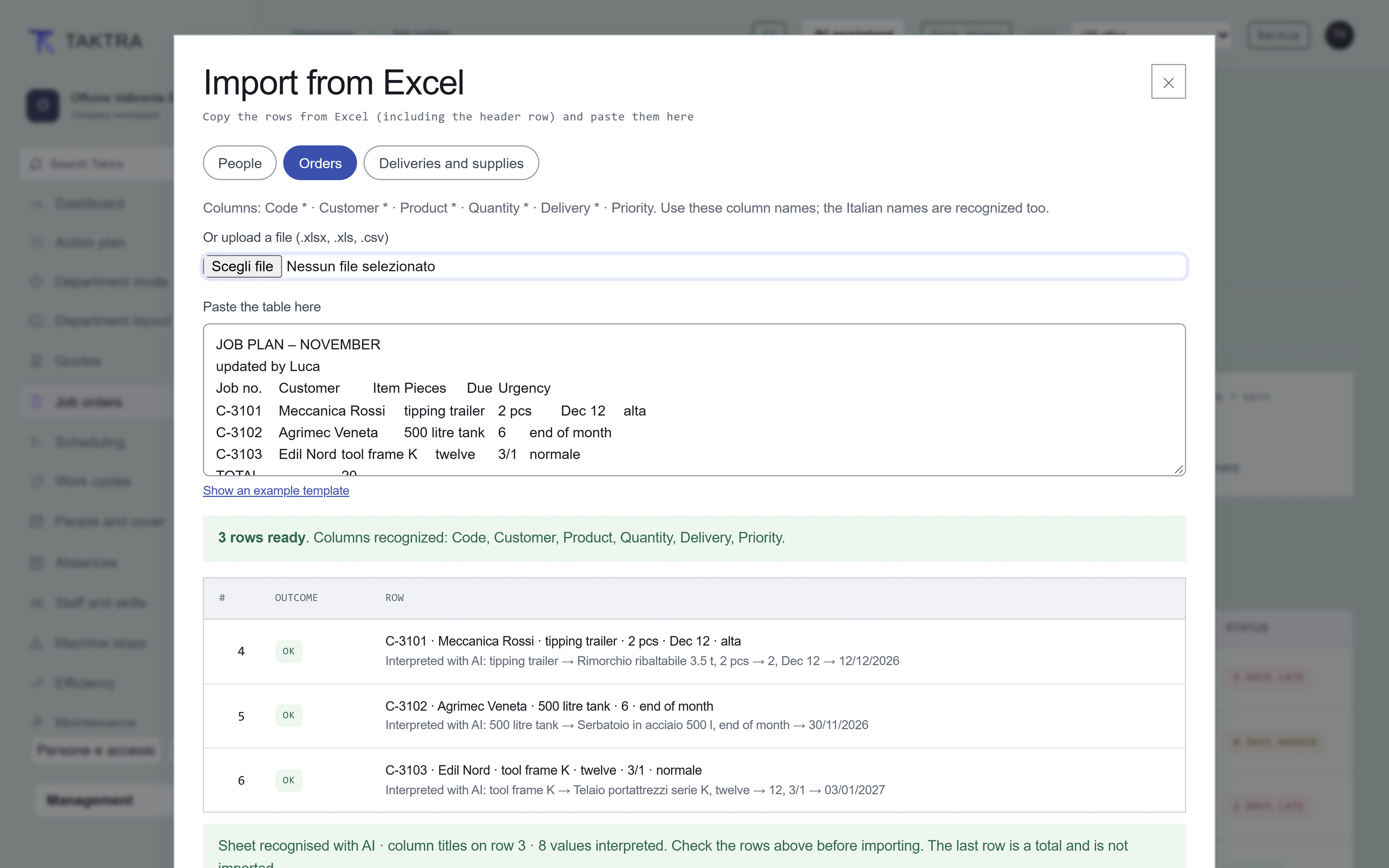
Even the messy Excel sheet.
Title rows, columns with other names, dates written by hand such as “end of month”: the AI recognises the sheet and shows you, line by line, how it read it. You import only after checking.
The load, machine by machine.
Operations day by day and utilisation for the next two weeks show where the work exceeds the hours available.
It all starts from the cycle.
Every product has its sequence of stages with the hours each needs. From there Taktra derives the work of every new order.
Honestly
What it does, and what it does not.
Better to know before you try it.
- Calculates the expected date from today’s capacity
- Accounts for attendance, public holidays, closures, stoppages and maintenance
- Recalculates at every change
- It is an estimate in whole days: it ignores set-ups, overtime and machines running in parallel
- It does not read times from machines
- It does not replace an ERP with warehouse and accounting
Frequently asked
In short.
Does the schedule build itself?
Can I import my job orders?
Does the AI add orders by itself?
What is the difference between “late” and “at risk”?
Give your work
its shape.
Thirty days to see whether your team really uses it. Open Taktra in your browser, create your company and describe how you work.
No card needed to start: 30 days free, then you decide whether to subscribe.